


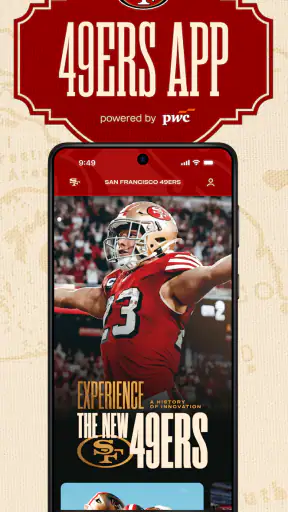
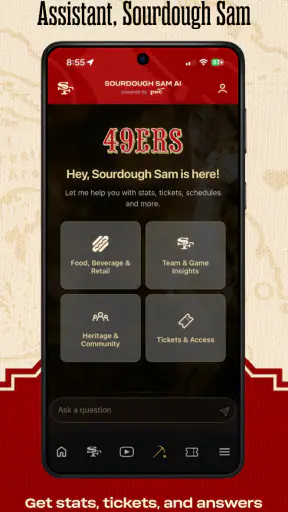
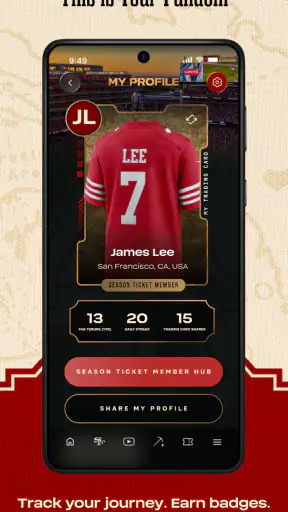
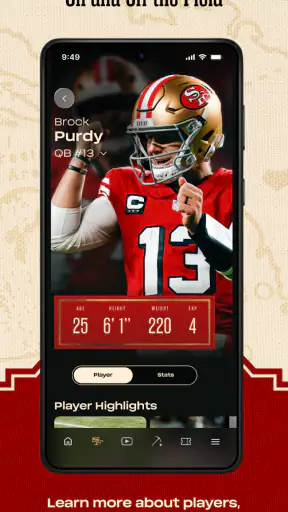
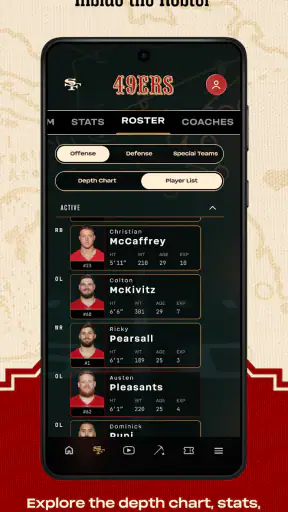
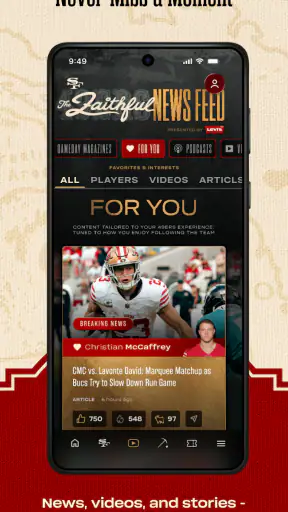
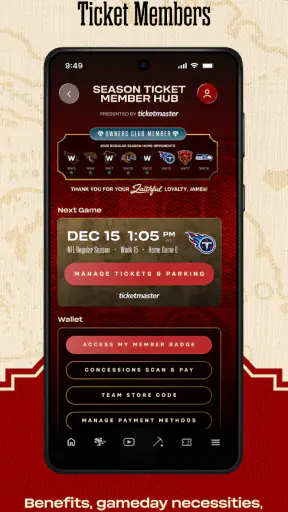
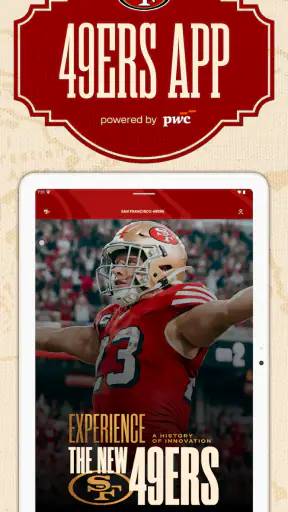
I approached San Francisco 49ers as a practical companion for following the NFL team rather than as a general sports portal. It is the official app from SF 49ers, and that distinction matters when you want team-specific information in one place instead of piecing it together from a league app, social networks, news sites, and browser bookmarks. After spending time with it, my impression is positive but fairly focused: it is most useful for supporters who want a direct connection to the 49ers, while people looking for broad coverage across many teams may find a larger sports app more convenient.
The app is free, aimed at Everyone, and belongs to the Sports category. It has been available since September 17, 2010, which gives it a long-running presence compared with many short-lived team apps. Its current version is 8.2.23 and it works on operating systems from version 9 onward. Those details make it accessible to a wide range of devices, although the experience can still vary depending on your phone, system settings, notifications, and network connection.
What the official 49ers app is really good at
The clearest strength is focus. Instead of asking me to filter a large stream of unrelated sports stories, the app keeps the San Francisco 49ers at the center. That makes it easier to open the app with a specific purpose: check the latest team information, follow a game, catch up on news, or look for official material connected with the club.
That narrow focus is also the main trade-off. A league-wide sports application is usually better when I want to compare several teams, move between different competitions, or build a broad news routine. Here, the value comes from reducing that distance between the supporter and one team. If the 49ers are the team you follow most closely, the limited scope feels intentional rather than restrictive.
I found it helpful to think of the app as a starting point for a game-day routine. Before a match, I would use it to get into the team’s information environment instead of searching the web repeatedly. During a busy day, a dedicated team app can also be less distracting than a general sports feed filled with headlines that have nothing to do with San Francisco.
That does not mean every visit will feel equally important. On quiet days, there may be less reason to open a team-specific app than during the season or around a major game. This is normal for a focused sports product, but it is worth knowing before installing it. It works best as a companion you return to when the 49ers matter to you, not necessarily as an app you need to browse continuously.
Trust begins with knowing who is behind it
For me, the official developer is an important part of the trust picture. SF 49ers is clearly connected to the team identity, so the app is a more natural choice for fans who prefer an official source over an unofficial news reader or a collection of third-party feeds. That does not automatically answer every privacy question, but it does make the app’s purpose easier to understand.
The public response is also encouraging without being a reason to stop thinking critically. The app holds a 4.3 average from around 13 thousand ratings, with roughly 3.2 thousand written reviews. More than a million installations show that it has reached a substantial audience. I read those figures as signs of an established product, not as proof that every user will have the same experience.
One practical advantage of an official app is that I do not have to wonder whether a headline or team update comes from a fan account, an aggregator, or a source using old information. That clarity is especially useful when I am checking something quickly on a game day. Still, I would keep a sensible boundary: official does not mean that every setting should be enabled automatically or that I should ignore the privacy choices available on my device.
Permissions and data choices deserve a deliberate check
My cautious approach with any sports app is to review the permission prompts and privacy controls when I first open it. I would not grant access simply because the app is connected with a familiar team. I would check what the app asks for, decide which functions I actually want, and revisit those choices if my habits change.
This is particularly relevant for a team app because the most useful moments can also be the most data-sensitive. Notifications may help me remember a game or notice an important update, but they can become noisy if every alert is enabled. Location access, contacts, photos, or other device permissions should be considered separately rather than treated as an all-or-nothing part of being a fan.
I also recommend checking the operating system’s permission manager after installation. That gives me a clearer view of what is allowed than relying only on a quick setup screen. If a permission is not necessary for the way I use the app, I would leave it disabled and see whether the core experience still works comfortably.
Another good habit is to distinguish between account controls and device controls. A phone setting can manage notifications or permissions, while an in-app account area may handle preferences, sign-in, or communication choices. I would inspect both. That two-step check is more useful than assuming one switch controls everything.
Where privacy becomes part of the everyday experience
The most sensitive moments are usually not when I read a team article. They are the moments when an app asks me to personalize the experience, sign in, receive alerts, or use a feature that connects the app with information beyond the basic reading experience. Those choices can be convenient, but they also deserve a pause.
For example, if I only want occasional team updates, I would start with a limited notification setup rather than accepting every category. I would then add alerts only when I understand their value. This keeps the app useful without turning it into a constant interruption, and it gives me a clearer sense of which forms of engagement I actually want.
I would use the same logic for account creation. If a feature works without an account, I would first try the app that way and decide later whether signing in adds something meaningful. If an account is needed for a particular function, I would use a password that is not reused elsewhere and review any communication preferences presented during setup.
These are not criticisms unique to the 49ers app. They are sensible boundaries for any official sports application. My point is that the excitement of following a team can make people click through setup quickly. Taking a minute to read the visible choices gives me more control and reduces the chance of ending up with alerts or access settings I did not intend to keep.
A realistic game-day routine
Imagine that I am leaving work before a 49ers game and will not have time to search several websites. I open the app before heading out, check the current team information, and adjust notifications so that only the updates I care about can interrupt me. If I am watching from home, I keep the app available as a quick reference rather than constantly switching between unrelated feeds.
That workflow is where the official focus makes sense. I am not trying to replace every sports service on my phone; I am using one place for the team I care about most. If I later want scores from other games or wider league analysis, I can turn to a broader service. The 49ers app does not need to do everything to be useful in this scenario.
For a supporter attending a game, I would prepare before arriving rather than waiting until the stadium is crowded. I would sign in only if necessary, review notification choices, and make sure the app behaves as expected on my connection. This is a small but useful habit: game-day pressure is a poor time to discover that a setting is too broad or that I have not decided which alerts matter.
Useful habits that improve the experience
My first tip is to separate “must know” alerts from “nice to know” alerts. A team app can be valuable when it helps me notice something important, but its usefulness drops when every update feels equally urgent. Starting conservatively makes it easier to identify the categories that genuinely improve my routine.
My second tip is to use the app as a trusted team hub while keeping a separate source for wider sports context. This avoids forcing one product to serve two different purposes. The official app is a sensible choice for 49ers-centered information; a broader sports app or news service may be better for comparing teams, following several leagues, or building a general score dashboard.
My third tip is to review settings after a period of real use, not just during installation. Once I know which notifications I read and which I dismiss, I can remove the unnecessary ones. The same review applies to permissions and account preferences. This turns privacy from a one-time decision into an ongoing, manageable habit.
A fourth useful trade-off is storage and attention. Even a free app can have a cost in the form of space, battery activity, and interruptions. I would keep it installed if I regularly use its team-focused information, but I would remove it if I only open it once every few months and can get everything I need from another service. Free does not automatically mean essential.
Who should install it, and who may prefer something else?
I would recommend it to a 49ers supporter who wants an official, team-specific destination and prefers not to sort through a general sports feed. It also suits someone who wants a simple game-day companion and is willing to manage notifications and permissions personally. The Everyone age rating makes it approachable for a broad audience, although younger users should still follow the account and device guidance set by their family.
I would be less enthusiastic for someone who follows many teams equally. In that case, a league-wide app may reduce switching and provide a more complete overview. I would also skip this installation if I already have a reliable sports routine and do not want another source of alerts. Adding an official app only makes sense when its focused information is more useful than the extra attention it requires.
People who expect deep customization, extensive cross-sport tools, or a single dashboard for every competition should set their expectations accordingly. This is a San Francisco 49ers app, not a replacement for every sports service. Its focused identity is its advantage for dedicated fans and its limitation for general sports consumers.
My cautious verdict after using it
I see this as a solid free companion for following the 49ers, especially when I want team-centered information from the club’s own app rather than an unofficial alternative. Its long availability, broad installation base, and strong average response suggest that it has become a familiar option for many supporters. I value the clear purpose more than the promise of having every possible sports feature in one place.
My recommendation comes with one condition: I would install it thoughtfully. I would inspect permissions, choose notifications instead of accepting everything, test whether an account is necessary for my intended use, and revisit those decisions after a few game days. The best experience comes from using the app on my terms, not from letting the app decide how often it should reach me.
In the end, this is a good choice when the San Francisco 49ers are central to your sports routine. It gives that relationship a dedicated place on your phone and avoids the clutter of broader alternatives. If your needs are wider than one team, another sports app will probably serve you better. For a focused fan who wants an official and free starting point, though, I would be comfortable recommending it—with sensible attention to the visible controls and personal choices that shape the experience.


